
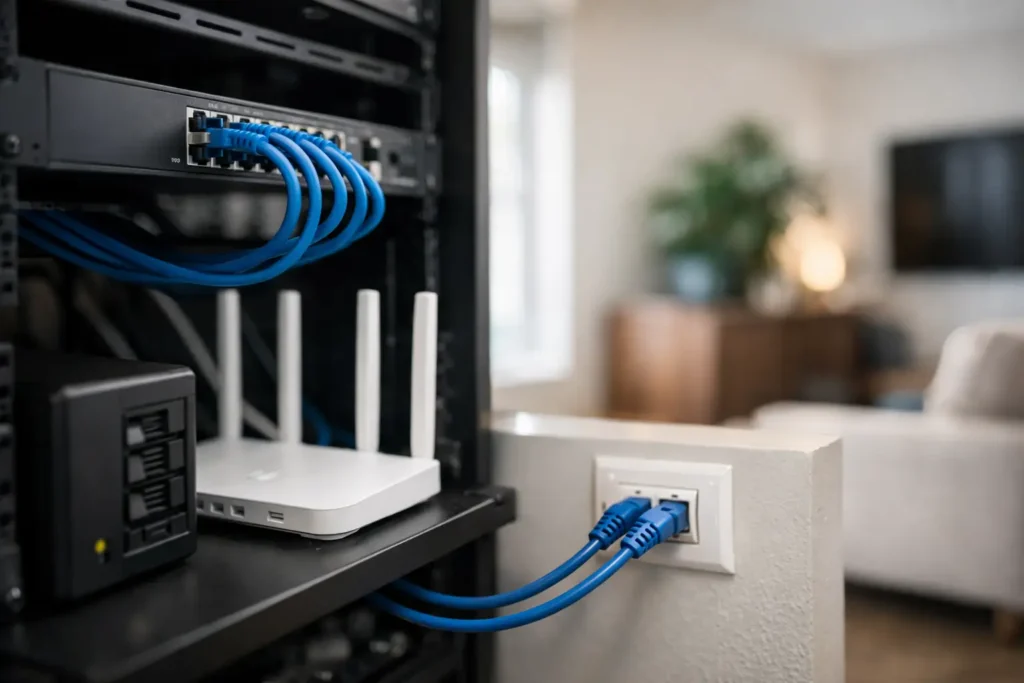
A video call drops out as someone starts streaming a film upstairs. The CCTV app takes too long to load. Smart lighting is responsive one moment and unavailable the next. These are often treated as Wi-Fi problems, but the real issue can be the infrastructure beneath it. A professionally planned wired home network setup gives every connected system a dependable backbone, rather than asking wireless signals to carry the entire home.
For new builds, extensions and major refurbishments, cabling should be considered alongside electrical, lighting and heating plans. It is far easier, tidier and more cost-effective to install the right routes before walls are closed and finishes are complete. The result is not simply faster internet. It is a home that is ready for high-performance AV, security, automation and whatever technology is introduced in the years ahead.
Why a wired connection still matters
Wireless networking is essential, but it is not a replacement for structured cabling. Wi-Fi performance changes with distance, wall construction, competing signals and the number of devices connected at once. A wireless access point works best when it is connected back to the network by cable. That cable provides a stable, high-capacity route to the internet connection and the rest of the home.
Fixed devices benefit most from a hard-wired connection. Televisions, streaming equipment, games consoles, desktop computers, network storage, CCTV recorders and wireless access points can all create sustained demand. By wiring these devices, the Wi-Fi network is freed to serve the phones, tablets and portable equipment that genuinely need it.
There is also a security and resilience benefit. Cameras and access-control equipment are more dependable when they are connected by cable, particularly where wireless coverage reaches an external gate, detached garage or garden office only marginally. Many systems can use Power over Ethernet, known as PoE, carrying data and low-voltage power through one cable. This reduces the need for separate local power supplies and creates a cleaner installation.
Start the wired home network setup with the right design
The best network design starts with how the property will be used, not with a list of products. A family home with several streaming zones has different requirements from a listed renovation with thick walls, or a developer project intended to offer smart-home readiness. The number of users matters, but so do room layouts, construction materials, service locations and future plans.
A central communications location is the foundation. This may be a dedicated equipment cupboard, utility room or appropriately ventilated rack location, rather than a shelf beside the incoming broadband line. It needs accessible power, sensible ventilation and enough room to work on the equipment later. Broadband hardware, a router or firewall, network switches, patch panels, CCTV recording equipment and automation controllers can then be installed in an organised, serviceable arrangement.
From this point, individual data cables run in a star formation to rooms and key technology locations. Each cable should terminate at a labelled outlet or device point, then return to a patch panel in the central location. This approach makes faults easier to trace, allows equipment to be changed without disturbing building fabric, and supports future upgrades.
Plan outlets around real use
A single data outlet in each room may be enough for a basic installation, but it rarely represents a long-term solution. A television wall can require connections for the TV, AV receiver, streaming player, games console and control equipment. A home office may need wired points at the desk, a printer location and a ceiling-mounted wireless access point. Bedrooms increasingly benefit from a data point for a TV and another provision for future use.
Ceilings, hallways and landings should also be considered carefully. These are often the right locations for wireless access points, giving better coverage than trying to broadcast from one router in a cupboard. In larger homes, cabling to external cameras, gate intercoms, outbuildings and garden rooms should be designed at the same stage.
Where a cable route is inexpensive to provide during construction, it is usually worth adding it even if it will not be used immediately. Spare cables and suitable containment offer flexibility without committing the homeowner to unnecessary equipment on day one.
Selecting cable and equipment without over-specifying
For most residential projects, Cat6 cabling is a sensible baseline. It supports gigabit networking comfortably and can support higher speeds over appropriate distances. Cat6A offers greater headroom for 10-gigabit networking and is often a strong choice for premium new builds, larger properties and installations where cables may be difficult to replace later.
The right option depends on cable lengths, installation environment and likely demand. Choosing the highest specification everywhere is not automatically the best use of budget. Good cable routing, proper termination, testing and documentation matter just as much as the cable category printed on the sheath.
The active equipment needs equal care. An unmanaged switch may suit a small, straightforward network, while a managed switch gives a professional installation more control. It can separate security devices, guest Wi-Fi, automation equipment and everyday household devices into appropriate network segments. This helps contain faults, improves security management and avoids a poorly configured device affecting every connected system.
A suitable firewall or router should be selected for the actual broadband speed and expected traffic, not simply because it is supplied by the internet provider. If a home has multiple access points, cameras, remote access and high-bandwidth media systems, the network must have enough processing capacity to maintain performance under load.
Integrating Wi-Fi, AV, security and automation
A wired network does not mean compromising on convenience. It creates the platform for better wireless coverage and more reliable control. Strategically positioned access points can provide consistent Wi-Fi throughout the house, including areas that often cause frustration such as loft rooms, patios and garages.
For multi-room audio and home cinema, a cable infrastructure supports stable streaming, control integration and equipment that may sit in a central rack rather than in the room itself. It also provides a clear route for future system changes. A homeowner may begin with a television and soundbar, then later add distributed audio, a cinema room or integrated control without having to reopen finished walls.
Security systems should be included from the outset. Wired CCTV cameras can deliver reliable high-resolution footage without competing for wireless capacity, while PoE simplifies installation at each camera point. Alarms, access control and video intercoms can also be designed as part of the same wider technology plan, with appropriate network separation and secure remote access.
This is where a joined-up approach is valuable. I-Vizion designs network infrastructure as part of the wider electrical, AV, automation and security environment, so decisions made for one system do not limit another later in the project.
Avoid the common shortcuts
One common mistake is placing all network equipment in an unventilated cupboard with no access for maintenance. Another is relying on wireless mesh units where fixed cabling is available. Mesh can be useful in an existing property where running cable is impractical, but each wireless hop can reduce available capacity and introduce inconsistency.
Powerline adaptors are another compromise. They can be helpful as a temporary measure, yet their performance depends heavily on the electrical installation and they are not a substitute for dedicated data cabling. Similarly, fitting a single wireless access point beside the broadband router rarely delivers even coverage across a substantial or heavily built home.
Poor labelling is a less obvious but expensive shortcut. Every outlet, patch-panel port, switch connection and device should be clearly identified. The installation should also be tested and documented at commissioning. When an engineer attends years later to add a camera, replace an access point or resolve a fault, clear records save time and avoid disruption.
Build in support for the next stage
A network should be reviewed as a living part of the property. Broadband services improve, household needs change and new devices arrive. The design should allow spare switch capacity, room in the equipment cabinet and sensible cable routes for additions. For a renovation or new build in Berkshire and surrounding areas, this forward planning can prevent avoidable disruption once the home is occupied.
The most successful installations are usually the least visible: reliable Wi-Fi in every useful space, fast responses from smart controls, clear camera footage and equipment that can be supported without guesswork. Plan the infrastructure early, commission it properly, and leave enough capacity for the home you will want to live in a few years from now.


